Background: I used to be able to stream to Twitch at 8000Kbps without issue. I used to be able to upload videos to Youtube with 40-50Mbps upload speeds.
Since sometime in May, uploading videos to Youtube doesn't even get to 10Mbps upload speed, and streaming to Youtube or Twitch at even 6000Kbps results in dropped frames due to network.
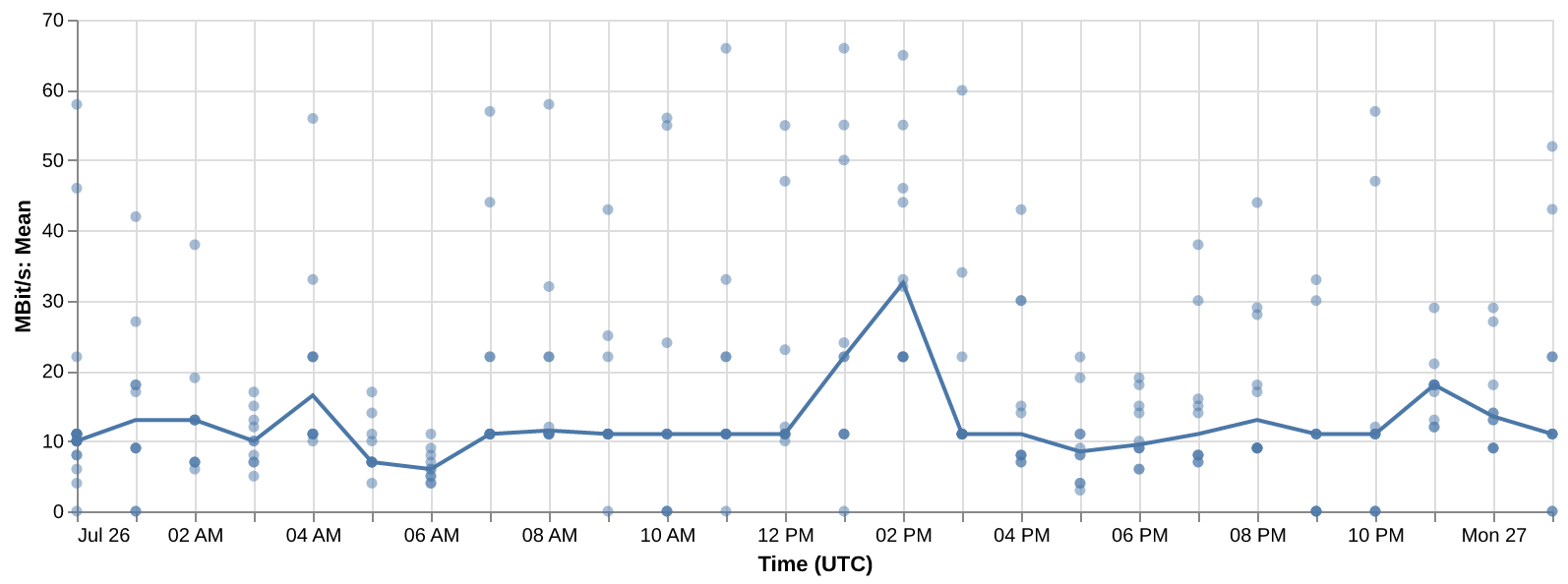
Despite "75mbps" upload, any individual TCP connection seems to be limited or throttled to around 10Mbps.
This impacts most file upload activities, as most transfers utilize only a single connection.
eg, uploading to Youtube, livestreaming to Youtube or Twitch, or transferring my backups to my Backblaze S3 bucket.
To hit 50+Mbps, it would require >5 individual connections.
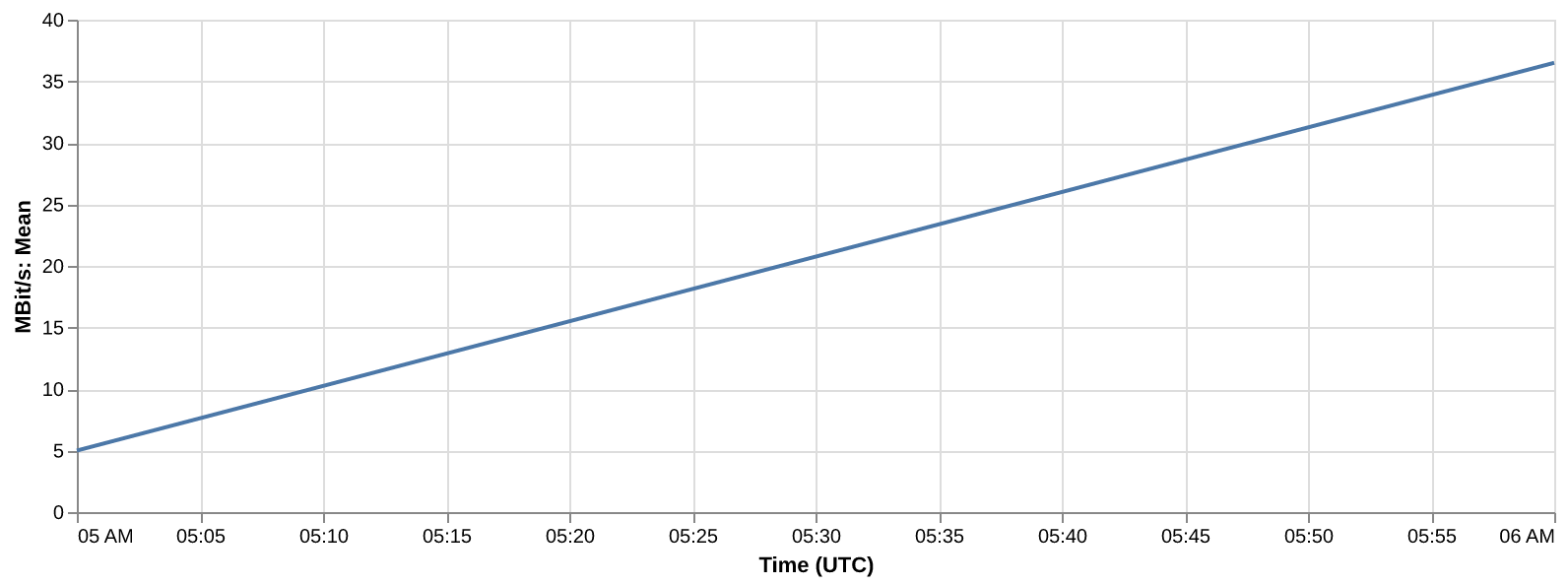
Tests are performed using iperf to Leaseweb's public iperf server in Seattle.
https://kb.leaseweb.com/kb/network/network-link-speeds/
Ookla's Speedtest removed the option to perform speedtests with a single connection, so there is currently no way to perform the test within GCI infra anymore. Ookla's speedtest will make connections to multiple servers then aggregate the throughput from every connection to provide results.
eg, this provides unrealistic results for any data stream that only utilizes a single TCP connection.
Test is performed every hour at the top of the hour.
The graph displays the median throughput during that test run.
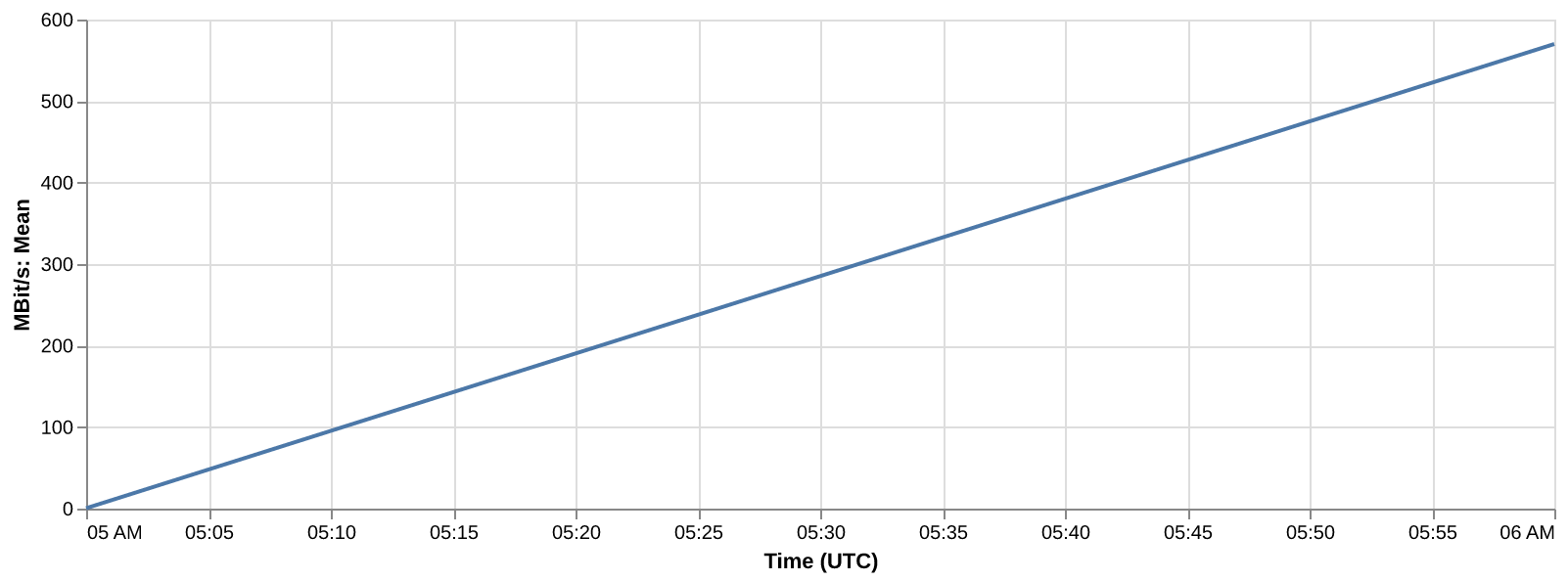
Running iperf in reverse mode I am able to download at over 400Mbit/s consistently, with some test sustaining over 1Gbps. I don't think the slow single-threaded upload throughput can be blamed on the route or remote server/infrastructure.
frozenak@netmon:~/iperf3Vis$ iperf3 -c speedtest.sea11.us.leaseweb.net -p 5201
Connecting to host speedtest.sea11.us.leaseweb.net, port 5201
[ 5] local 192.168.1.101 port 53814 connected to 23.82.193.66 port 5201
[ ID] Interval Transfer Bitrate
[ 5] 0.00-1.01 sec 2.12 MBytes 17.6 Mbits/sec
[ 5] 1.01-2.01 sec 1.25 MBytes 10.5 Mbits/sec
[ 5] 2.01-3.01 sec 768 KBytes 6.27 Mbits/sec
[ 5] 3.01-4.01 sec 896 KBytes 7.34 Mbits/sec
[ 5] 4.01-5.01 sec 512 KBytes 4.19 Mbits/sec
[ 5] 5.01-6.00 sec 640 KBytes 5.30 Mbits/sec
[ 5] 6.00-7.00 sec 512 KBytes 4.20 Mbits/sec
[ 5] 7.00-8.00 sec 640 KBytes 5.25 Mbits/sec
[ 5] 8.00-9.00 sec 896 KBytes 7.33 Mbits/sec
[ 5] 9.00-10.00 sec 1.25 MBytes 10.5 Mbits/sec
- - - - - - - - - - - - - - - - - - - - - - - - -
[ ID] Interval Transfer Bitrate
[ 5] 0.00-10.00 sec 9.38 MBytes 7.86 Mbits/sec sender
[ 5] 0.00-10.07 sec 8.88 MBytes 7.39 Mbits/sec receiver
frozenak@netmon:~/iperf3Vis$ iperf3 -c speedtest.sea11.us.leaseweb.net -p 5201 -R
Connecting to host speedtest.sea11.us.leaseweb.net, port 5201
Reverse mode, remote host speedtest.sea11.us.leaseweb.net is sending
[ 5] local 192.168.1.101 port 59480 connected to 23.82.193.66 port 5201
[ ID] Interval Transfer Bitrate
[ 5] 0.00-1.00 sec 29.1 MBytes 244 Mbits/sec
[ 5] 1.00-2.00 sec 62.0 MBytes 520 Mbits/sec
[ 5] 2.00-3.00 sec 62.5 MBytes 524 Mbits/sec
[ 5] 3.00-4.00 sec 60.1 MBytes 504 Mbits/sec
[ 5] 4.00-5.00 sec 62.1 MBytes 521 Mbits/sec
[ 5] 5.00-6.00 sec 62.9 MBytes 528 Mbits/sec
[ 5] 6.00-7.00 sec 62.9 MBytes 527 Mbits/sec
[ 5] 7.00-8.00 sec 62.4 MBytes 524 Mbits/sec
[ 5] 8.00-9.00 sec 61.0 MBytes 512 Mbits/sec
[ 5] 9.00-10.00 sec 63.1 MBytes 529 Mbits/sec
- - - - - - - - - - - - - - - - - - - - - - - - -
[ ID] Interval Transfer Bitrate Retr
[ 5] 0.00-10.06 sec 615 MBytes 513 Mbits/sec sender
[ 5] 0.00-10.00 sec 588 MBytes 493 Mbits/sec receiver
And here are speedtest.net results from the ACS speedtest server in Seattle.
https://www.speedtest.net/result/19480636942

Adding an additional test point: 84.17.41.11 (566946929.sea.cdn77.com). This is an iperf server on CDN77 that is hosted on the Seattle Internet Exchange (SIX) which GCI peers with in Seattle.
Per SIX updates, GCI added 4x100G ports on 2026-02-25, bringing GCI up to 2x3x100G ports; 600Gbps total spanning 2 switches (3x100G on each switch.)
https://www.seattleix.net/participant-updates
PS C:\> tracert 84.17.41.11
Tracing route to 566946929.sea.cdn77.com [84.17.41.11]
over a maximum of 30 hops:
1 <1 ms <1 ms <1 ms pfsense-pri.incendiary.local [192.168.1.1]
2 8 ms 7 ms 8 ms 10.78.124.67
3 18 ms 8 ms 18 ms 10.79.143.192
4 * * 10 ms 10.128.118.217
5 * * * Request timed out.
6 45 ms 35 ms 35 ms six.cdn77.com [206.81.81.27]
7 40 ms 42 ms 42 ms 566946929.sea.cdn77.com [84.17.41.11]
Trace complete.